Defining Certification Services
A Service is a small but important piece of configuration which links API traffic to a document.
For FIX, this links a SenderCompID (49) / TargetCompID (56) pair onto a document. For REST, this typically relates to the base URL of the endpoint.
Defining Services
The simplest way to create a Service is to set the Protocol and default conformance identifier while creating your document.
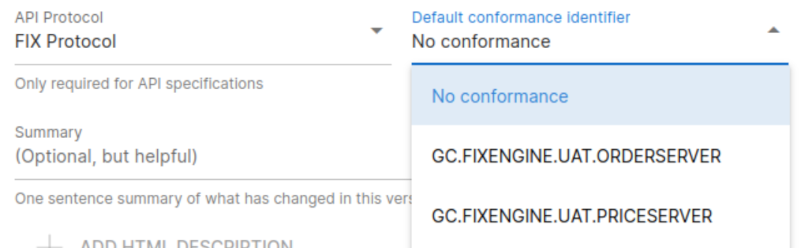
This will automatically create a record under the Service Config tab within your Customers page. Use the icon to edit existing services.
⚠️ Immediate Effect
An update to a Service definition takes immediate effect for new API traffic monitored by the system that is using this default configuration. You may wish to re-load any historical data which was processed under the old configuration.
Customer-Level Service Overrides
- Navigate to the relevant customer on the Customers page, and open up the Service Access tab.
- If the service is not enabled (look out for the dot), then first enable it using the menu.
- Once enabled, use the menu to adjust the settings away from the default.
- If you need to specify multiple identifier pairs, choose Add Row from the row menu.
Frequently Asked Questions
Please reach out either by email, or using the chat function for assistance.