Customer Feedback Loop
This portal supports the ability for both authenticated and anonymous users to provide feedback on the content of the portal.
This is an optional feature that can be enabled by setting the feedback attribute in the portal.yaml file at the root of the docs/ directory.
yamlfeedback:
    portal: true
    offline: "Alternatively, contact your account manager or support at feedback@fixspec.com."
The functionality is globally enabled by setting feedback.portal to true.
When enabled, any user is able to provide feedback on the content of a given page by using the feedback button that appears in the footer, and completing the modal that appears.
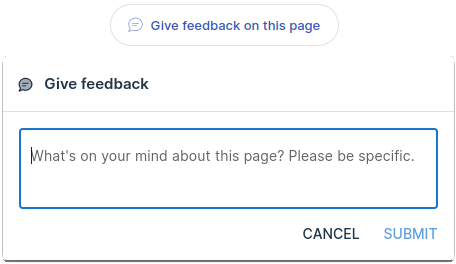
If the feedback.offline attribute is set to a non-empty string, then users can also be signposted towards other support options you may offer, such as a third-party ticketing system, email or phone support.
Once feedback has been submitted, administrative users have the ability to view, add notes and change the status of tickets via the feedback management page in the portal.
Note that there is currently no mechanism to chat in real time with users via the portal; the feedback mechanism is intended for asynchronous, one-way communication only.
Frequently Asked Questions
No — there’s no mechanism for users to see notes or replies within the portal itself. If you want to close the loop with a user, you’ll need to follow up through your own channels, such as email.
Yes — feedback is always submitted in the context of the page the user was viewing, so administrators can see exactly which content prompted it.